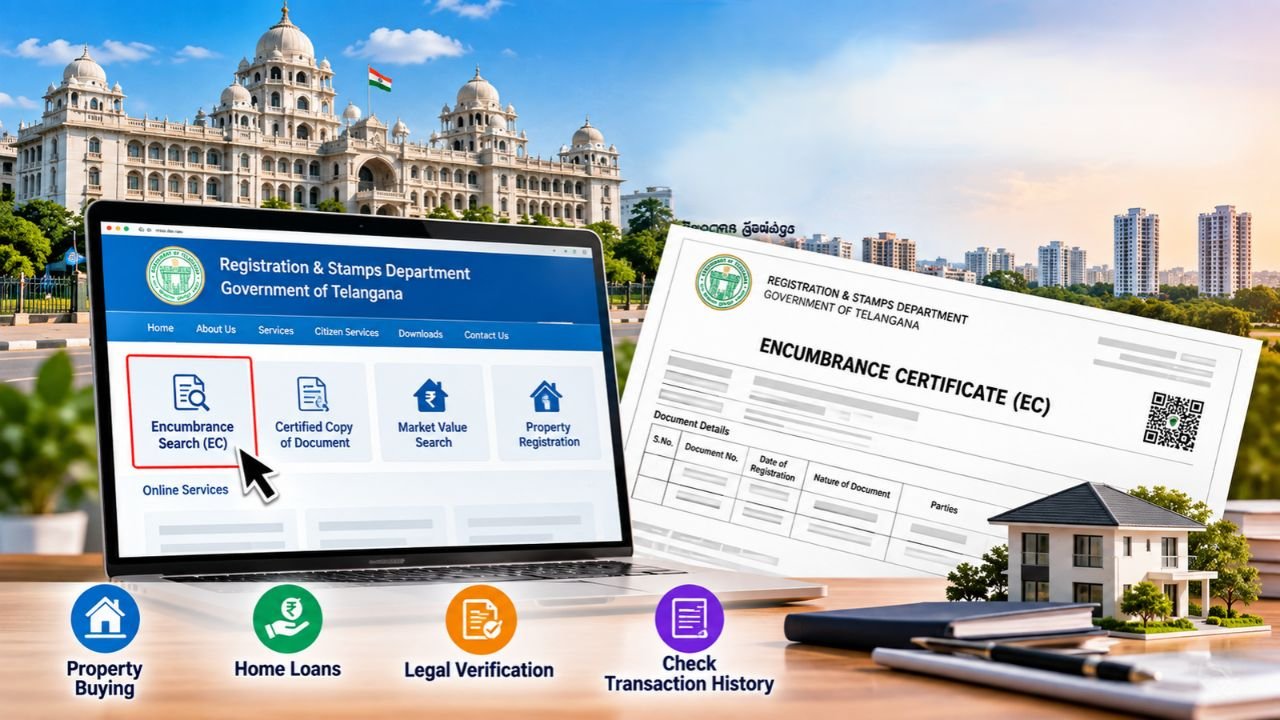
When buying property or taking a loan against a property in Telangana, one of the most important legal documents you will come across is the Encumbrance Certificate (EC). This document proves that a property has financial and legal status, which means that you will not inherit any unwanted legal disputes or debts.
Below is a complete guide to understanding what an EC is, why you need one, and how you can easily search and download one online by visiting Telangana government’s official portal.
What is an Encumbrance Certificate (EC)?
An Encumbrance Certificate is an official document of the Registration and Stamps Department of Telangana. “Encumbrance” refers to any legal or financial liability on a property, such as an unpaid mortgage, a lien, or a court dispute.
- The EC Record: It contains a chronological history of all registered transactions related to a specific property over a specified period (usually 10 to 30 years).
- Nil Encumbrance Certificate: If there are no transactions or legal liabilities during the searched timeframe, the department issues a “Nil EC.”
Why Do You Need an Encumbrance Certificate Telangana?
A Telangana EC can be useful at several important stages of buying, selling, or verifying a property, including:
- Property Buying: It helps the buyer know that the seller has a clear ownership title and legal right to sell the property without any third-party claims.
- Securing Home Loans: Banks and financial institutions require a 13- to 30-year EC history before approving home loans or property-backed loans to ensure their collateral is risk-free.
- Property Mutation: When transferring property ownership in government records (mutation), an EC is required to prove the past transaction legality.
- Legal Proof: It serves as a vital evidence in the case of future ownership disputes.
Step-by-Step Guide: How to Search for an EC Online in Telangana
The Government of Telangana has a seamless digital experience, and you can perform a search from the comfort of your home through the Integrated Grievance Redressal System (IGRS) portal. Here’s how:
Step 1: Register on the IGRS Telangana Portal
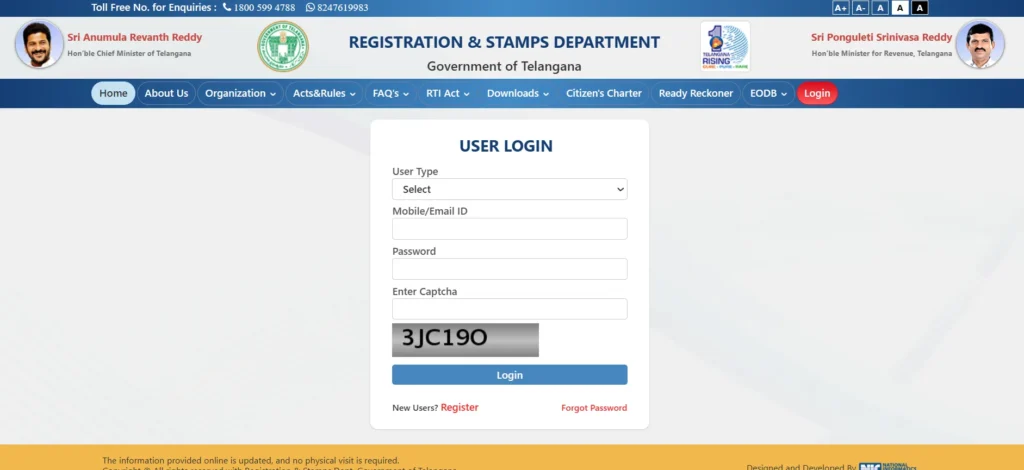
- Head over to the official website @registration.telangana.gov.in
- If you are a new user, you need to click on Online Service Registration to create an account.
- Enter your name, mobile number, email ID, and password, and log in to the account that you just created using these new credentials.
Step 2: Access the Encumbrance Search Page
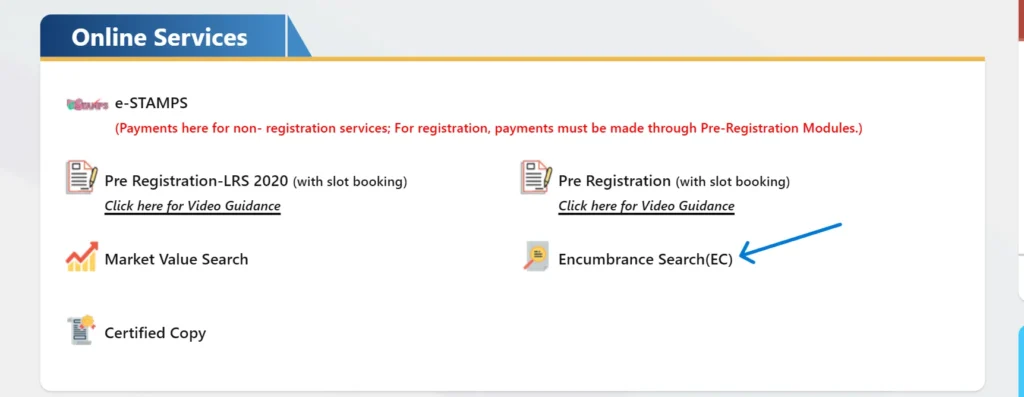
- Once you are logged in, the homepage will display, and you need to click on the Encumbrance Search (EC) widget.
- A page displaying an explanation of the rules and liability statements will appear. Read through it and click Submit.
- This is the first step toward checking your Encumbrance Certificate status and registered transaction information.
Step 3: Choose Your Search Criteria
You have two main options for searching your property’s history:
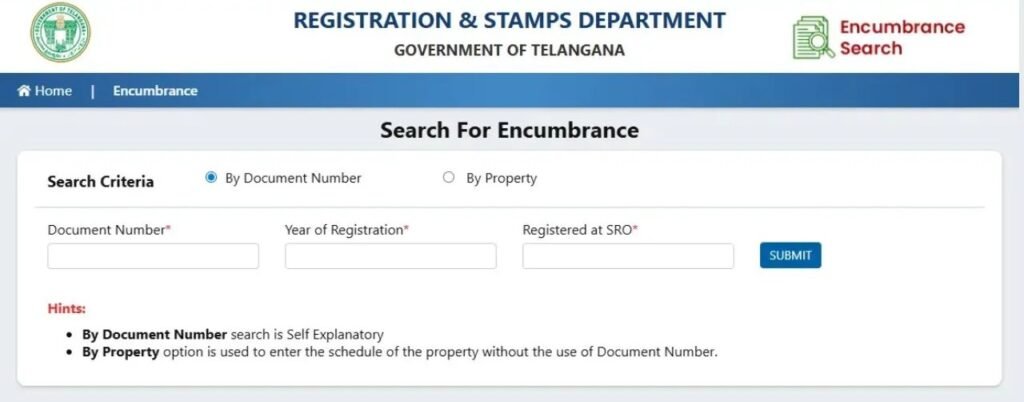
- Search by Document Number: This is ideal for those who have the registered deed details handy. You will be required to enter the Document Number, the Year of Registration, and the Sub-Registrar Office (SRO) where the document was registered.
- Search by Property Details: This is ideal for those who do not have the document number. You will need to enter descriptive attributes such as the House Number, Flat Number, Ward/Block, Survey Number, District, and SRO.
Step 4: Define the Search Period
Select the timeline for which you want to check the records (e.g., from 1989 to the current year). A wider timeline will provide stronger legal assurance.
Step 5: View and Download
After completing the CAPTCHA verification, you just need to click Submit, and the system will populate a comprehensive statement of all the registered transactions. You can preview the EC document and print or download it as a PDF for your records.
Important Things to Remember
Non-Registered Transactions May Not Appear
- An EC is based on registered records available to the registration system.
- Unregistered agreements, certain private claims, disputes or other matters that are not recorded in the relevant registration records may not appear in an online EC.
- Therefore, an EC should be treated as one part of property due diligence, rather than as the sole proof of clear title.
Check the Search Period Carefully
- Always verify the period selected while conducting an Encumbrance Certificate online search.
- A search covering only a limited period may not show older registered transactions outside that period.
Verify Property Details
- Make sure the survey number, document number, property number, SRO and other details entered during the search match the actual property.
- Incorrect information can result in an incomplete or incorrect search result.
EC Does Not Guarantee Clear Title
- An EC can help identify registered transactions and encumbrances, but it does not by itself establish that a property has a completely clear title.
- Before buying property, buyers should also verify ownership documents, title records, previous deeds and other relevant legal documents.
Certified Copy May Be Required
- The online EC search can be useful for preliminary verification. However, a bank, lawyer, government department or other authority may require an official or certified copy.
- If you need a certified document, check the latest Telangana government service instructions, applicable fee and submission procedure.
By using the online IGRS system, Telangana citizens can transparently verify the property’s legitimacy, protecting their hard-earned money from any real estate fraud.
Looking for more Telangana government services and useful online resources? Visit our Home Page to explore property services, government schemes, certificates, application details, and the latest updates in one place.
1 thought on “Encumbrance Certificate (EC) Telangana: Online Search & Download”