Bhu Bharathi Telangana Land Records Online
Bhu Bharathi (భూ భారతి) is the digital land record management system used in Telangana. It was launched by the Revenue Department of Telangana State as the successor to the Dharani portal according to the Telangana Bhu Bharathi (Record of Rights in Land) Act, 2025. The Bhu Bharathi Portal Telangana is a single online source providing all types of land services such as land records, ownership, and mutation tracking.
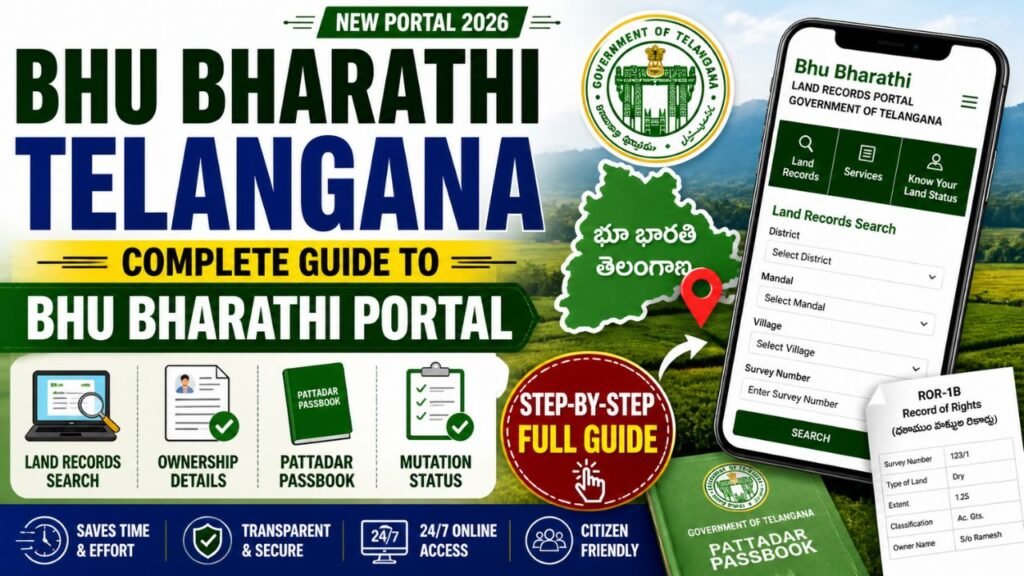
What is the Bhu Bharathi Portal? (తెలంగాణ భూ భారతి)
The Bhu Bharathi Portal (bhubharati.telangana.gov.in) is Telangana’s official digital land records system managed by the Telangana Revenue Department. It replaces the Dharani portal to provide a simpler, faster, and more transparent way to access land-related services.
Through the bhu bharathi portal telangana, citizens can check land records, ownership details, mutation status, and download important documents online easily.
Key Features of Bhu Bharathi Portal
The bhu bharathi portal telangana offers several advanced features that make land record management simple and efficient:
- Online Land Records Access – Check land details anytime, anywhere
- Real-Time Updates – Get instant updates after land transactions
- Transparency in Land Transactions – Minimizes fraud and manipu
Services Available on Bhu Bharathi Telangana
The bhu bharathi portal telangana (bhubharati.telangana.gov.in) provides a wide range of services, divided into Information Services and Transactional Services, along with support tools for users.
1. Information Services (Free & Public)
These services are available without login and help users access basic land details:
| Service Name | Description | Purpose / Benefit |
|---|---|---|
| Land Details Search | Allows users to check complete land information such as owner name, survey number, extent (area), and location details. | Helps verify ownership and basic land data instantly online. |
| Record of Rights (ROR-1B) | Provides access to the official land record document (1-B), which includes ownership and cultivation details. | Important for legal verification, loans, and government schemes. |
| Encumbrance Certificate (EC) | Displays past transactions, loans, or legal liabilities associated with a property. | Ensures the land is free from disputes or financial obligations. |
| Prohibited Property Search | Enables users to check whether land is restricted under Section 22-A (e.g., government or disputed lands). | Prevents illegal transactions and protects buyers. |
| Market Value Lookup | Shows the current government-approved land value for a specific area. | Useful for property registration and calculating stamp duty. |
| Application / e-Challan Status | Allows tracking of submitted applications or payment status using a transaction ID. | Keeps users updated on application progress without visiting offices. |
2. Transactional Services (Login Required)
These services require registration on the portal:
| Service Name | Description | Purpose / Benefit |
|---|---|---|
| Registration Services | Enables online processing of property transactions such as Sale, Gift, Mortgage, Lease, and Exchange. | Simplifies registration process and reduces paperwork. |
| Mutation Services | Updates land ownership records after a sale, transfer, or legal change. | Ensures official records reflect the new owner correctly. |
| Succession Services | Allows transfer of land ownership to legal heirs after the owner’s death. | Helps in smooth inheritance and legal ownership transfer. |
| ROR Corrections | Provides option to correct errors in Record of Rights (ROR) or Pattadar Passbook. | Ensures accuracy of land records and avoids disputes. |
| NALA Applications | Application process for converting agricultural land into non-agricultural use. | Required for construction or commercial usage legally. |
| General Power of Attorney (GPA) | Apply for registering GPA or DAGPA for property handling rights. | Allows authorized persons to manage property legally. |
3. Support & Regulatory Tools
Additional features to assist users:
| Service Name | Description | Purpose / Benefit |
|---|---|---|
| Appellate Module | Allows citizens to file appeals against decisions made by revenue officials like Tahsildars or RDOs. | Ensures fair review and grievance redressal in land matters. |
| Bhudhaar Services | Provides a unique 11-digit identification number for each land parcel. | Helps in accurate identification and prevents duplication of land records. |
| User Manuals | Offers step-by-step guides and instructions for using various portal services. | Makes it easier for users to understand and navigate the portal efficiently. |
These services make the bhu bharathi telangana portal a complete digital solution for managing land records, ensuring transparency, and simplifying processes for citizens.
Bhu Bharathi Land Details Search Telangana
The Bhu Bharathi Portal is the official land records system of Telangana where you can check property details online. It allows users to search land ownership, survey details, and documents easily.
Follow these simple steps:
Step 1: Visit the official Bhu Bharathi portal of Telangana
- To access land records and services, visit the official government website
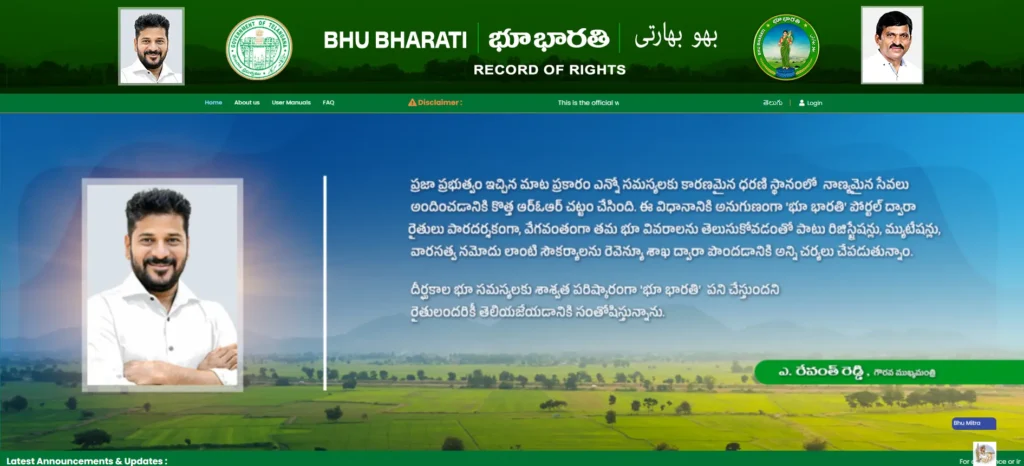
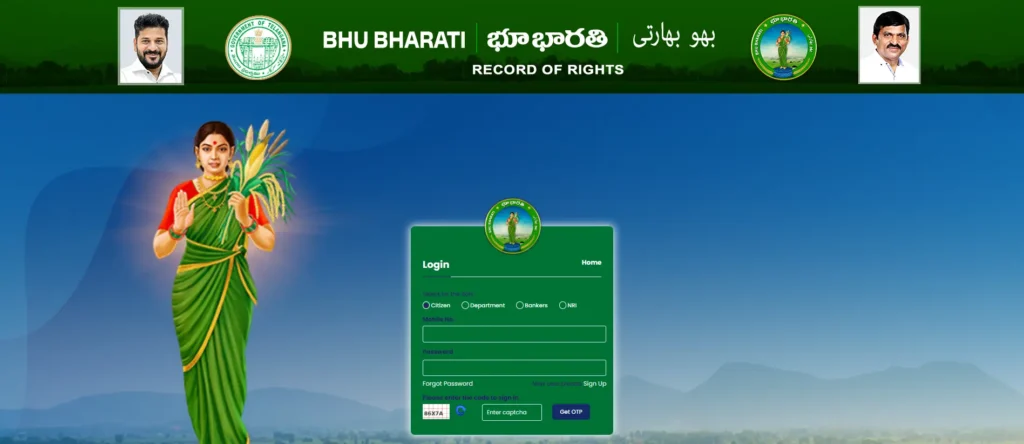
Step 2: Register or log in using your mobile number
- On the bhu bharathi portal telangana, click on Login/Register and enter your mobile number. You will receive an OTP (One-Time Password) to verify your number.
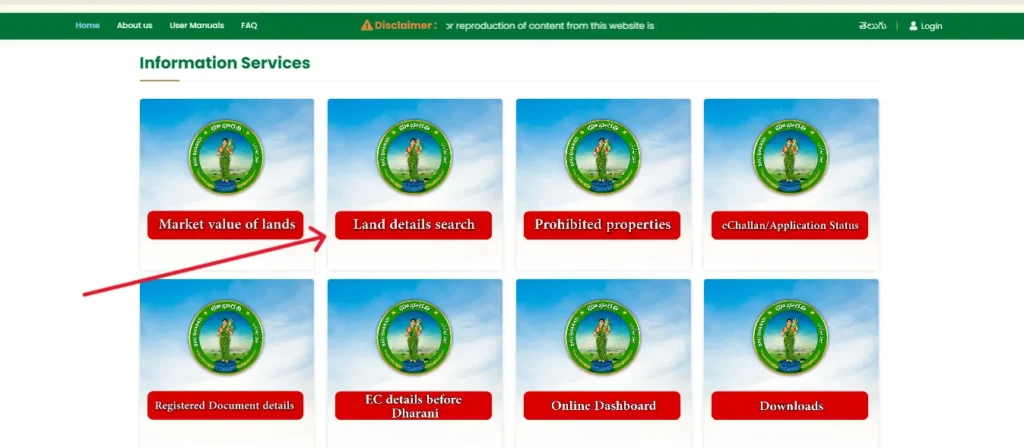
Step 3: Select “Land Records Search”
- After logging into the Bhu Bharathi Portal Telangana, click on the “Land Records Search” option on the dashboard.
Step 4: Enter Land Details
- Enter the required information such as Survey Number, District, and Mandal in the search fields. Make sure the details are accurate to get correct land records.
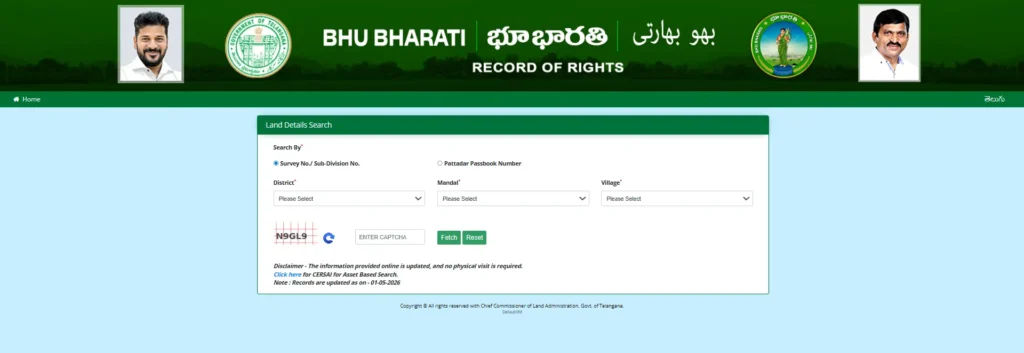
Step 5: Click on “Search”
- After entering all the required details, click on the “Search” button. The system will instantly fetch and display the relevant land records based on your input.
Step 6: View and download land details
- Once the results are displayed, you can view complete land details on the screen. You also have the option to download or print the document for future reference.
This process is simple and user-friendly, making it easy for even first-time users to access land records without any difficulty.
Accessing ROR (1-B) and Pattadar Passbook (PPB)
The Record of Rights (ROR-1B) is an important legal document that confirms land ownership details. Through the Bhu Bharathi portal telangana, users can easily search, view, and download both ROR and Pattadar Passbook documents online.
ROR & Pattadar Passbook Access Details
| Document | Search Method | Action |
|---|---|---|
| Record of Rights (ROR or 1-B) | Search using Pattadar Passbook Number or first 4 digits of Aadhaar | After land details appear, click the “ROR” option to view or download the document |
| Pattadar Passbook (PPB) & Title Deed | Search using Pattadar Passbook Number or first 4 digits of Aadhaar | After details appear, click “Pattadar Passbook” to download digital passbook and title deed |
Citizen Registration and Login Process
To use advanced services like Mutation and NALA on the bhu bharathi portal telangana, users must first register and log in.
Registration Steps
- Sign Up: Go to the portal → Click Login → Select Sign Up
- Enter Details: Provide Name and Mobile Number → Click Get OTP
- Verify: Enter OTP & Captcha → Click Validate & Register
- Account Created: Your user account will be activated
Login Process
- Use your registered mobile number and password
- Access your Citizen Dashboard to use services
Mandatory eKYC and Slot Booking
eKYC (Electronic Know Your Customer) is a mandatory verification process required for services like Mutation and Passbook Corrections on the bhu bharathi portal telangana. It is completed through MeeSeva centers or online portal verification to confirm the user’s identity and ensure secure processing of applications.
Similarly, Slot Booking is required for certain services such as Succession or NALA (without Passbook). Users must book a time slot in advance before their application is processed, which helps in faster, organized, and hassle-free service delivery.
Contact and Support Information
For any assistance or queries related to the bhu bharathi portal telangana, you can contact the official help desk:
📞 Phone Number: +91 40-29313999
🕒 Operating Hours: 10 AM to 5 PM
You can reach out during working hours for support regarding land records, login issues, or application-related queries.
FAQs on Bhu Bharathi Telangana
1. What is Bhu Bharathi Telangana?
Bhu Bharathi Telangana is a digital land records portal launched by the Telangana government to provide easy access to land details and services online.
2. How can I access the Bhu Bharathi portal Telangana?
You can visit the official website (bhubharati.telangana.gov.in) and use your mobile number to log in or search land records.
3. Is Bhu Bharathi portal free to use?
Yes, basic services like land details search, ROR-1B, and EC are free for public access. Some advanced services may require login.
4. Can I download land records from the portal?
Yes, users can view and download land records such as ROR-1B and other documents directly from the portal.
5. What should I do if my land records are incorrect?
You can apply for corrections through the portal (ROR Correction service) or contact your local revenue office for assistance.
⚠️ This article is for informational purposes only. For accurate and official details about the Bhu Bharathi Portal Telangana, please visit the official website or contact the concerned government authorities.